TextureAnySTL
How to add a car interior texture to a 3D print
Printed parts stand out in a car: they're smooth and a little shiny next to the grained plastics of the dashboard and door cards. Here's how to give a mount, holder or trim part the same grain in about a minute, free, in your browser.
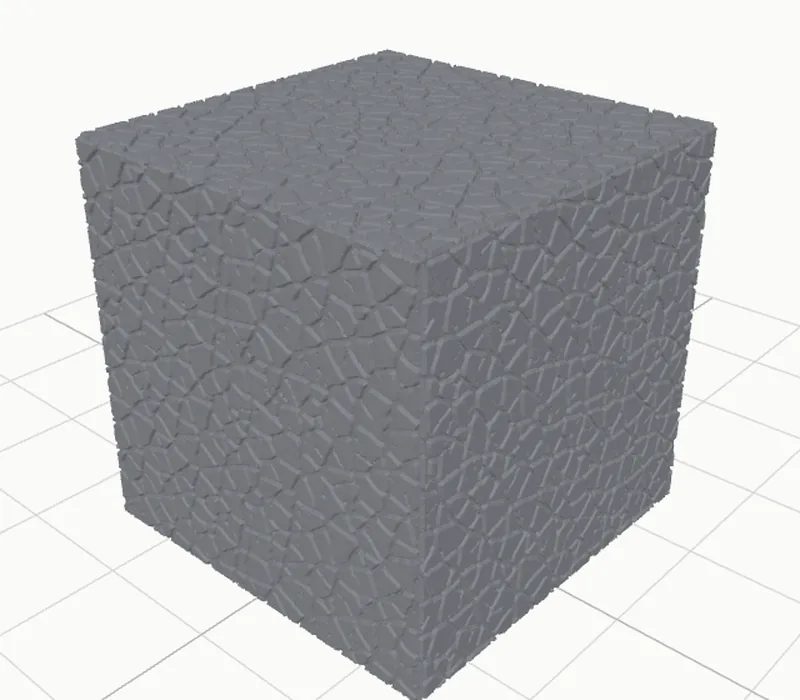
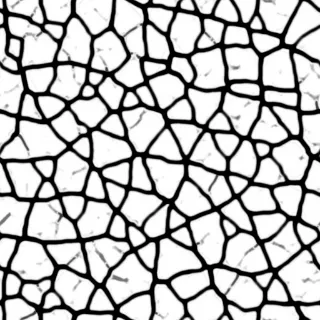
Car Interior recreates the fine grain of car interior plastics: small raised cells between thin grooves and creases. It's seamless, so it covers any size of face without visible repeats or joins.
- dashboard mounts
- phone holders
- trim clips
- switch and vent covers
- replacement panels
Step by step
- Open the tool with Car Interior selected. Open TextureAnySTL with the Car Interior texture. It runs in your browser: nothing is uploaded and there is nothing to install.
- Load your part. Drop in the STL, OBJ or 3MF of your mount, holder, clip or cover.
- Pick the visible faces. Click the faces people will see. Hold Ctrl (Cmd on Mac) to add more. Curved surfaces work too.
- Set depth and tile size. Depth 0.25–0.35 mm and a tile of 15–25 mm look like typical dashboard grain. For small parts, or surfaces seen up close, set Detail to High.
- Apply and export. Click Apply texture, then Export. In Export options, 3MF gives the same shape in a file about 4× smaller.
Settings that look like real car plastic
| Setting | Value | Why |
|---|---|---|
| Depth | 0.25–0.35 mm | Deep enough to read as grain on FDM, shallow enough to stay subtle. |
| Tile size | 15–25 mm | Smaller = finer grain. Match it to the plastics next to the part. |
| Detail | Standard, or High for small parts | High keeps the fine creases sharp when the part is seen up close. |
| Position (Advanced) | −100% | Cuts the grain into the surface, so clips and press-fits keep their exact size. |
Printing tips
- Material: a car can pass 70 °C inside on a sunny day, and PLA softens from about 55–60 °C. Use ASA (or ABS) for parts on the dashboard; PETG is fine for parts out of direct sun.
- Colour and finish: matte black or dark grey filament matches most interiors best.
- Layer height: 0.12–0.16 mm keeps the grain crisp on sloped and curved faces.
- Orientation: keep supports off the textured faces; vertical or top faces print the cleanest grain.
Common questions
Will it match my car exactly? Every manufacturer uses its own grain, so it won't be identical, but at the right tile size it blends in. Try two or three tile sizes on a small test piece.
Can I texture only part of a face? Yes: use Paint area or the mask to choose exactly where the grain goes, for example around a logo or a button.
Is it free? Yes. No account, no watermark, and your file never leaves your computer.
Add a car interior texture now →